OUR PHONE NUMBER: 828-764-3305 • 732-928-7973
Carbonless Forms
Home » Carbonless Forms
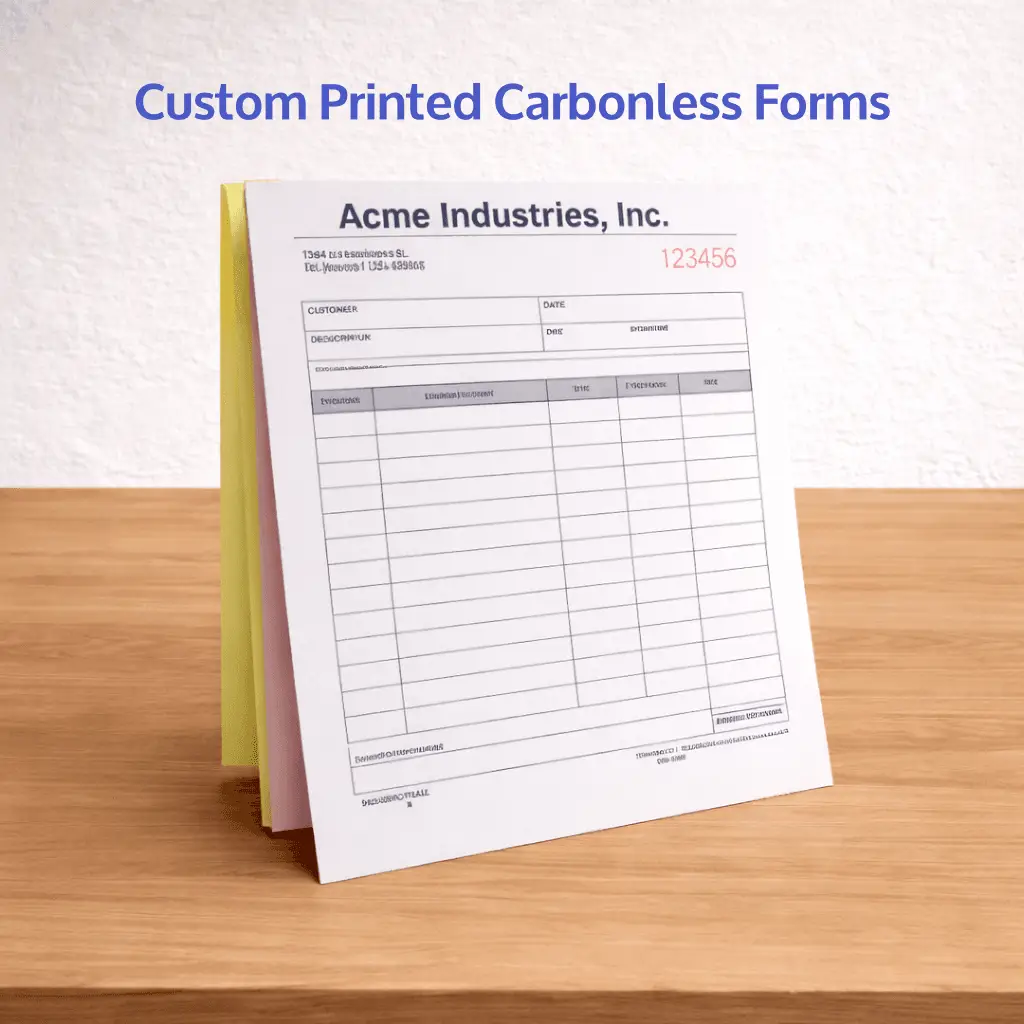
Why Choose Our Carbonless Forms?
- Fully Customizable Layouts: Tailored to your business with logos, branding, form fields, and numbering.
- Clean, Consistent Copies: Crisp image transfer ensures every duplicate is clear and easy to read—no smudging or fading.
- Multiple Part Options: Available in 2-part, 3-part, or more, with white, canary, pink, and additional color sequences to fit your workflow.
- Custom Design & Numbering: Fully customized layouts with sequential numbering, perforations, and binding options to match your business needs.
Common Uses for Carbonless NCR Forms
Invoices • Work Orders • Receipts • Purchase Orders • Delivery Forms • Estimates
Custom Carbonless NCR Forms
Keep your business organized with custom invoices, receipts and work orders. Choose 2-part, 3-part or 4-part sets with your logo, numbering and finishing options.
Request a free quote

Have questions? Call us at 828-764-3305
Carbonless Forms File Setup
Color Mode Prepare full-color artwork in CMYK mode. Convert RGB images before submitting. Screen colors may differ from the printed result.
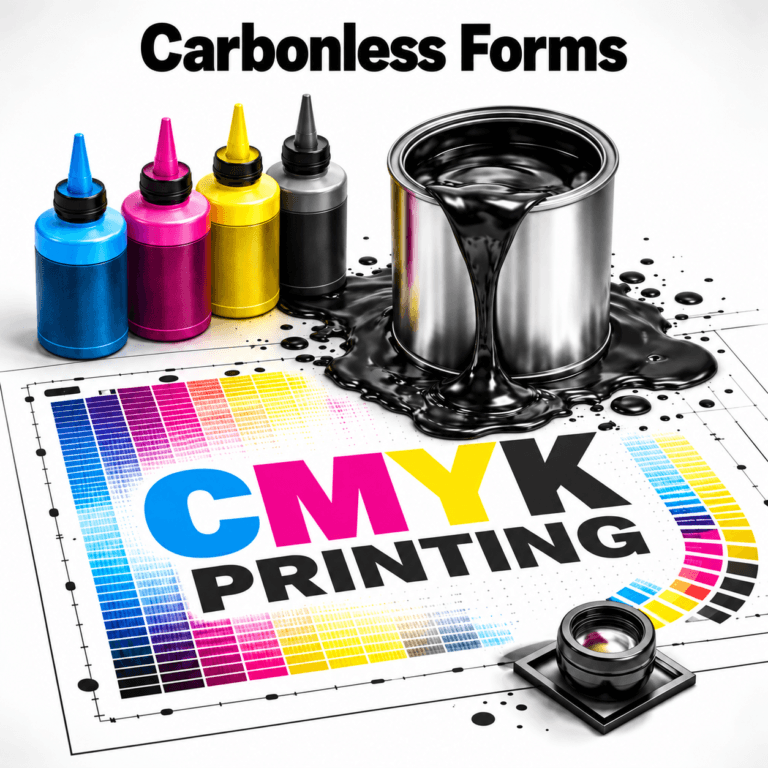
CMYK Colors CMYK uses four inks—cyan, magenta, yellow and black—to reproduce full-color logos, images and graphics.
Image Resolution Use images at 300 DPI at their final print size. Avoid low-resolution web images, which may appear blurry or pixelated.
Bleed, Trim & Safe Zone Include 0.125″ bleed if artwork extends to the edge. Keep important text and logos at least 0.25″ inside the trim edge.
PDF Format Submit a print-ready PDF at the correct size. Include all pages needed for your order. If you need help preparing your artwork, contact us.
Fonts Embed all fonts in your PDF or convert text to outlines. This helps preserve your layout and prevents font substitution.
Common File Setup Mistakes
❌ Submitting files in RGB color mode
❌ Low-resolution images
❌ Missing bleed
❌ Fonts not outlined or embedded
❌ Important content too close to edges
Tips for Better Color Printing
- Use high-contrast designs for better readability
- Avoid extremely light colors for small text
- Calibrate your monitor for more accurate color preview
- Expect slight color variation between screen and print
1 & 2 Color Printing File Setup Guide
Use 100% Black Only. All artwork should be set to: 100% Black (K only) •CMYK: 0 / 0 / 0 / 100
Convert All Colors to Grayscale or Black
- Remove all RGB or CMYK colors
- Convert logos and graphics to solid black or grayscale
- Ensure no hidden colors remain in your file
Fonts Must Be Outlined or Embedded
- Convert fonts to outlines (preferred)
OR - Embed all fonts in your PDF
This prevents font substitution errors during printing.
Resolution Requirements
- Minimum 300 DPI for all images
- Avoid using web images (72 DPI)
High-resolution images ensure sharp, professional prints without pixelation.
File Size & Bleed
- Include 0.125″ bleed if artwork extends to the edge
- Keep all important content inside a 0.25″ safe margin
Preferred File Format
- Print-ready PDF (preferred)
Common File Setup Mistakes to Avoid
❌ Using RGB colors instead of black ink
❌ Using rich black instead of 100% K
❌ Low-resolution images
❌ Fonts not outlined or embedded
❌ Artwork too close to trim edge
2-Part Carbonless Paper (NCR)
2-Part Carbonless Paper, also known as NCR (No Carbon Required), is a specialized multi-sheet
paper designed to instantly transfer handwritten or printed information from the top sheet to the
duplicate below—without the need for messy carbon sheets. It’s a reliable solution for businesses
that need clean, organized copies of forms and transactions.
Key Characteristics
- Instant Image Transfer:
Pressure applied when writing or printing on the top sheet automatically transfers the image onto the second sheet below, creating a clear duplicate copy in real time. - Clean, Smudge-Free Copies:
Unlike traditional carbon paper, carbonless forms are clean to handle and produce consistent, professional results without ink smearing. - Two-Part Form System:
Typically includes a white top sheet (CB – Coated Back) and a colored second sheet (CF – Coated Front), making it easy to distinguish between original and copy. - Easy to Write On:
The uncoated surface provides excellent writability with pens, making it ideal for handwritten forms, signatures, and field use. - Customizable & Sequential:
Can be printed with custom layouts, numbering, perforations, and padding or book binding for organized use.
Best Use Cases
- Invoices & Receipts:
Create instant copies for both your business and your customer. - Work Orders & Service Forms:
Perfect for contractors, technicians, and service professionals who need on-the-spot documentation. - Delivery & Pickup Forms:
Ensure accurate record-keeping with duplicate copies for drivers and clients. - Contracts & Agreements:
Capture signatures and automatically generate copies for all parties involved.
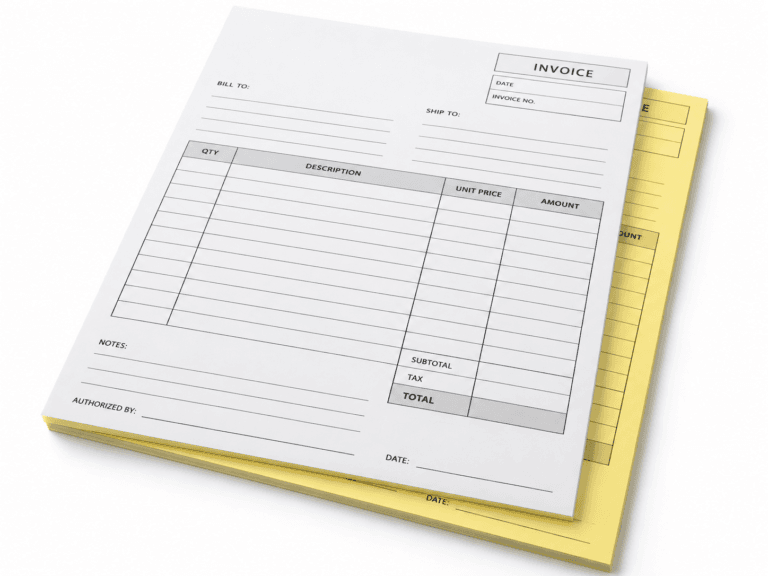
3-Part Carbonless Paper (NCR)
3-Part Carbonless Paper, also known as NCR (No Carbon Required), is a multi-layer paper system designed to create three instant copies of handwritten or printed information—without the use of traditional carbon sheets. It’s ideal for businesses that require multiple records of the same transaction or form.
Key Characteristics
- Triple Copy Transfer:
Writing or printing on the top sheet transfers the image through to two additional sheets below, producing three clear, legible copies in one step. - Clean, Professional Results:
Carbonless paper eliminates the mess of carbon sheets, delivering smudge-free, consistent copies every time. - Three-Part Form System:
Includes a white top sheet (CB – Coated Back), a colored middle sheet (CFB – Coated Front & Back), and a colored bottom sheet (CF – Coated Front). Each layer is typically a different color for easy organization. - Excellent Write-On Surface:
The uncoated paper allows for smooth writing with pens, making it perfect for signatures, notes, and field use. - Customizable & Organized:
Forms can be fully customized with sequential numbering, perforations, binding (pads or books), and custom layouts tailored to your workflow.
Best Use Cases
- Invoices with Multiple Copies:
Keep one for your business, provide one to the customer, and retain an additional copy for accounting or records. - Work Orders & Job Tickets:
Ideal for service industries that require copies for technicians, office staff, and customers. - Delivery & Logistics Forms:
Ensure accurate documentation with copies for drivers, recipients, and internal tracking. - Contracts & Agreements:
Capture signatures and instantly generate copies for all involved parties.
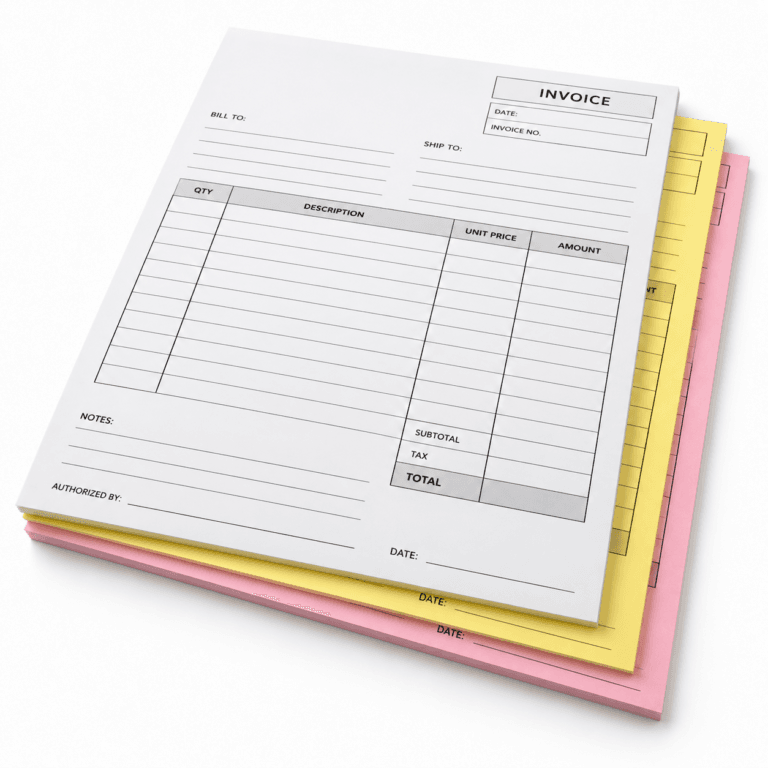
4-Part Carbonless Paper (NCR)
4-Part Carbonless Paper, also known as NCR (No Carbon Required), is a multi-layer paper
system designed to create four instant copies of handwritten or printed information—without the
need for traditional carbon sheets. It’s ideal for businesses that require multiple copies of forms
for different departments, records, or clients.
Key Characteristics
- Four-Part Instant Copy System:
Writing or printing on the top sheet transfers the image through to three additional sheets below, producing four clear, consistent copies in a single step. - Clean, Smudge-Free Performance:
Carbonless technology eliminates messy carbon sheets, ensuring clean handling and professional-looking duplicates every time. - Four-Sheet Form Structure:
Includes a white top sheet (CB – Coated Back), two colored middle sheets (CFB – Coated Front & Back), and a colored bottom sheet (CF – Coated Front). Each sheet is typically a different color for easy identification and organization. - Excellent Write-On Surface:
The uncoated finish provides smooth writing with pens, making it ideal for signatures, notes, and field use. - Fully Customizable:
Can be produced with sequential numbering, perforations, padding or book binding, and custom layouts to match your specific business needs.
Best Use Cases
- Multi-Department Forms:
Perfect for businesses that need copies for office records, field staff, accounting, and customers. - Detailed Work Orders & Service Forms:
Ensure every party involved has an accurate copy for tracking and follow-up. - Delivery, Logistics & Inventory Forms:
Keep organized records across multiple checkpoints in your workflow. - Contracts & Agreements:
Generate multiple copies for all parties involved at the time of signing.
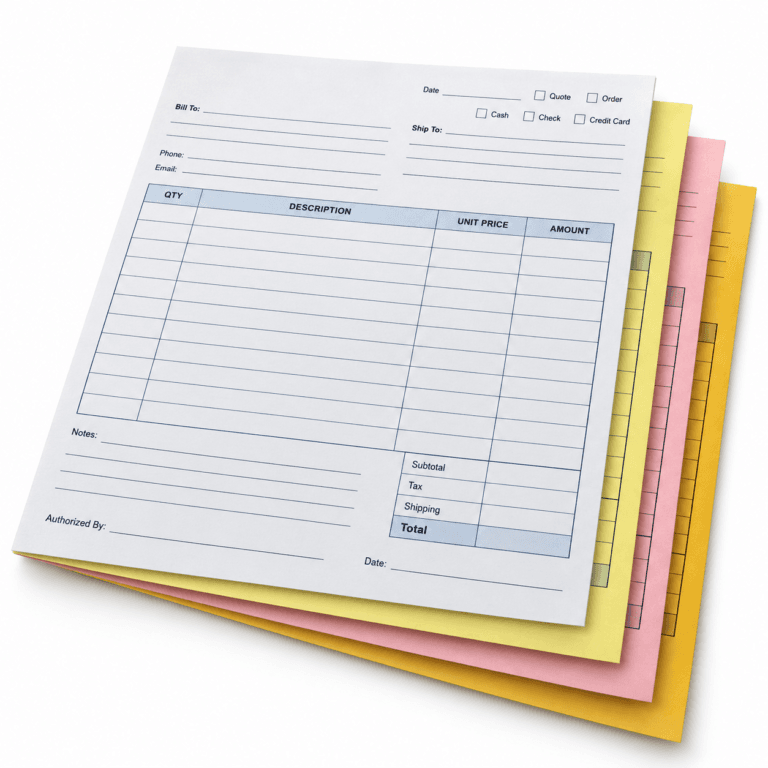
1-Color Black Ink NCR Forms
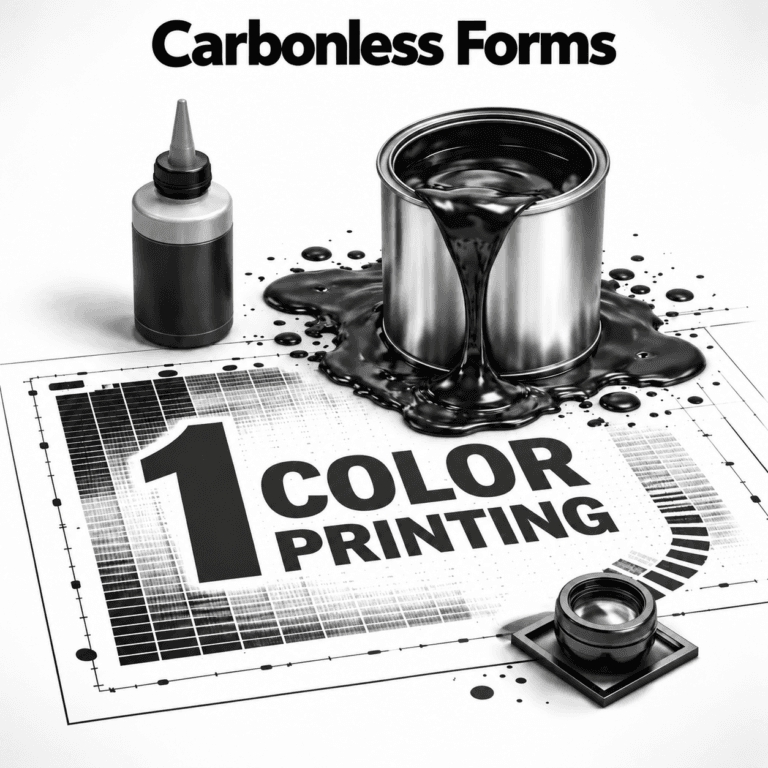
1-color black ink printing is the most practical and cost-effective option for carbonless (NCR) forms. Designed for clarity, efficiency, and easy readability, black ink provides a clean, professional look while ensuring strong image transfer across all parts of the form.
Key Characteristics
- Crisp, High-Contrast Printing:
Black ink delivers sharp, easy-to-read text and lines, making it ideal for forms that require clear information, handwriting, and accurate duplication across all sheets. - Cost-Effective Solution:
Printing in one color keeps production costs low while still maintaining a professional appearance—perfect for high-volume forms used daily. - Clean & Professional Appearance:
A simple black ink design gives your forms a straightforward, organized look that’s easy for customers and employees to use.
Full-Color NCR Forms
Full-color NCR (carbonless) forms combine the functionality of multi-part forms with the visual impact of full-color printing. Perfect for businesses that want to stay organized while reinforcing their brand, full-color NCR forms allow you to incorporate logos, colors, and design elements into every transaction.
Key Characteristics
- Vibrant, Full-Color Printing:
Showcase your logo, brand colors, and custom design elements with sharp, professional-quality printing that stands out from standard black ink forms. - Clear & Reliable Image Transfer:
Designed to maintain strong, legible transfers across all parts while still delivering high-quality color on the top sheet. - Multi-Part Functionality:
Available in 2-part, 3-part, and 4-part configurations. - Customizable Layouts:
Fully customizable with numbering, perforations, padding, and layout design to match your workflow and branding.
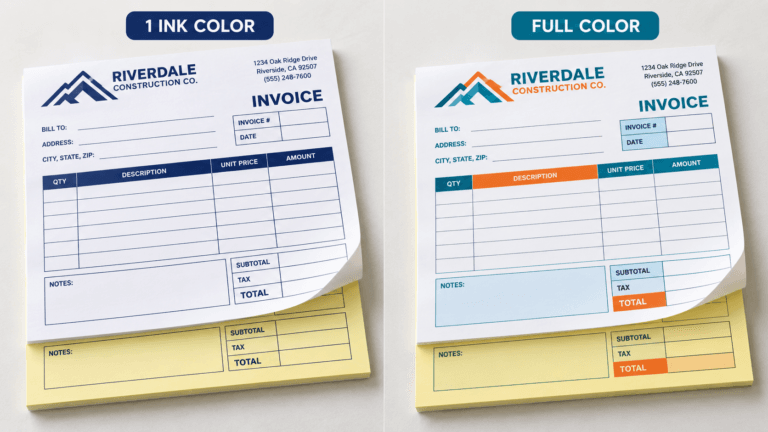
1-Color vs Full-Color NCR Forms
Choosing between 1-color black ink and full-color printing depends on your business needs,
budget, and how you use your forms.
1-Color Black Ink NCR
Best For Simplicity & Efficiency
- Most cost-effective option for high-volume use
- Crisp, high-contrast text for maximum readability
- Strong, reliable image transfer across all parts
- Fast production and turnaround times
- Ideal for everyday business forms
Common Uses:
Invoices, work orders, delivery forms, receipts, service tickets
Full-Color NCR Forms
Best For Branding & Visual Impact
- Incorporates logos, brand colors, and design elements
- Creates a more polished, professional appearance
- Helps reinforce brand identity with every form
- Great for customer-facing documents
Common Uses:
Branded invoices, contracts, estimates, presentation forms
Best Use Cases
- Branded Invoices & Estimates:
Make a strong impression with professional, logo-driven forms that reflect your business identity. - Contracts & Agreements:
Enhance credibility and presentation with clean, full-color documentation. - Work Orders & Service Forms:
Stand out while keeping operations organized and easy to follow. - Customer-Facing Documents:
Perfect for any form that represents your business directly to clients.
NCR Form Numbering Options
Numbering your NCR forms is essential for keeping your business organized, tracking transactions, and maintaining accurate records. Whether you’re using invoices, receipts, work orders, or service forms, custom numbering helps streamline your workflow and prevent errors.
Sequential Numbering
Sequential numbering is the most common option for NCR forms. Each form is assigned a unique, consecutive number.
Example:
1001, 1002, 1003, 1004…
Best for:
- Invoices
- Receipts
- Purchase orders
- Job tracking
Benefits:
- Easy record keeping
- Helps prevent duplicate entries
- Simplifies accounting and auditing
Duplicate Numbering (Per Set)
With duplicate numbering, each part of the NCR set (2-part, 3-part, or 4-part) shares the same number.
How it works:
- All copies of a form set are marked with the same number
- Ensures consistency across all copies
Best for:
- Multi-part forms
- Customer + office copies
- Internal tracking systems
Number Placement Options
Numbers can be placed in one or multiple locations on your form depending on your layout and workflow.
Common placement areas:
- Top right corner (most popular)
- Top left corner
- Bottom corners
- Multiple positions on the same form
Benefits:
- Improves visibility
- Makes filing and referencing easier
- Allows flexibility for different uses
Numbering Ink Colors
We offer different ink colors for numbering to help your forms stand out or match your branding.
Standard options:
- Black
- Red
Custom colors available upon request
Starting Number Options
You can choose your starting number to match your current system or workflow.
Examples:
- Start at 0001
- Continue from previous run (e.g., 2541)
Frequently Asked Questions – Carbonless Forms
What are carbonless forms?
Carbonless forms are multi-part paper forms that create instant copies without the need for carbon paper. Writing on the top sheet transfers the image to the sheets below.
What are carbonless forms used for?
They’re commonly used for invoices, receipts, work orders, service tickets, contracts, and any situation where you need duplicate or triplicate copies.
How many parts can I choose from?
Most carbonless forms are available in 2-part, 3-part, or 4-part sets. Additional parts may be available depending on your project needs.
What colors are available for the copies?
Standard options include white (top), canary (yellow), pink, and sometimes blue or green for additional parts.
Can I add my logo and custom design?
Yes! All carbonless forms are fully customizable. We can include your logo, branding, layout, and any specific fields your business requires.
Do you offer sequential numbering?
Yes, we can add sequential numbering to help you track invoices, orders, or jobs easily.
Can the forms be bound into books or pads?
Absolutely. We offer padding, stapling, wrap-around covers, and book binding with perforations for easy tear-out.
What sizes are available?
Common sizes include 8.5″ x 11″, 5.5″ x 8.5″, and 4.25″ x 5.5″, but we can produce custom sizes as well.
Will the copies be clear and easy to read?
Yes, our high-quality carbonless paper ensures clean, consistent image transfer across all parts.
What file format should I provide for printing?
Print-ready PDFs are preferred, but we can also help design your form if needed.
How long does it take to print carbonless forms?
Turnaround times vary, but most orders are completed quickly. Rush options may be available if you need them sooner.
Do you offer local pickup or shipping?
Yes, we offer both local pickup and delivery and shipping options for your convenience.